 FilePeek
A little preview.
A clearer view.
Select a file. Press Space.
See what’s inside, without opening your full editing app.
Powered by Peek3D · Microsoft Store release in preparation

Actual renderer output. Framing added for this website.
Stay in your flow.
A quick check before you open, send, or work on a file. FilePeek runs from your Windows system tray.
Find your file.
Select a file in File Explorer or on your Desktop. You can also use Browse inside FilePeek.
Press Space.
See supported images, PDF pages, text, or 3D geometry in a dedicated preview window.
Take a closer look.
Rotate a model, pan across a scan, or turn a PDF page. Press Escape when you’re done.
See FilePeek in action
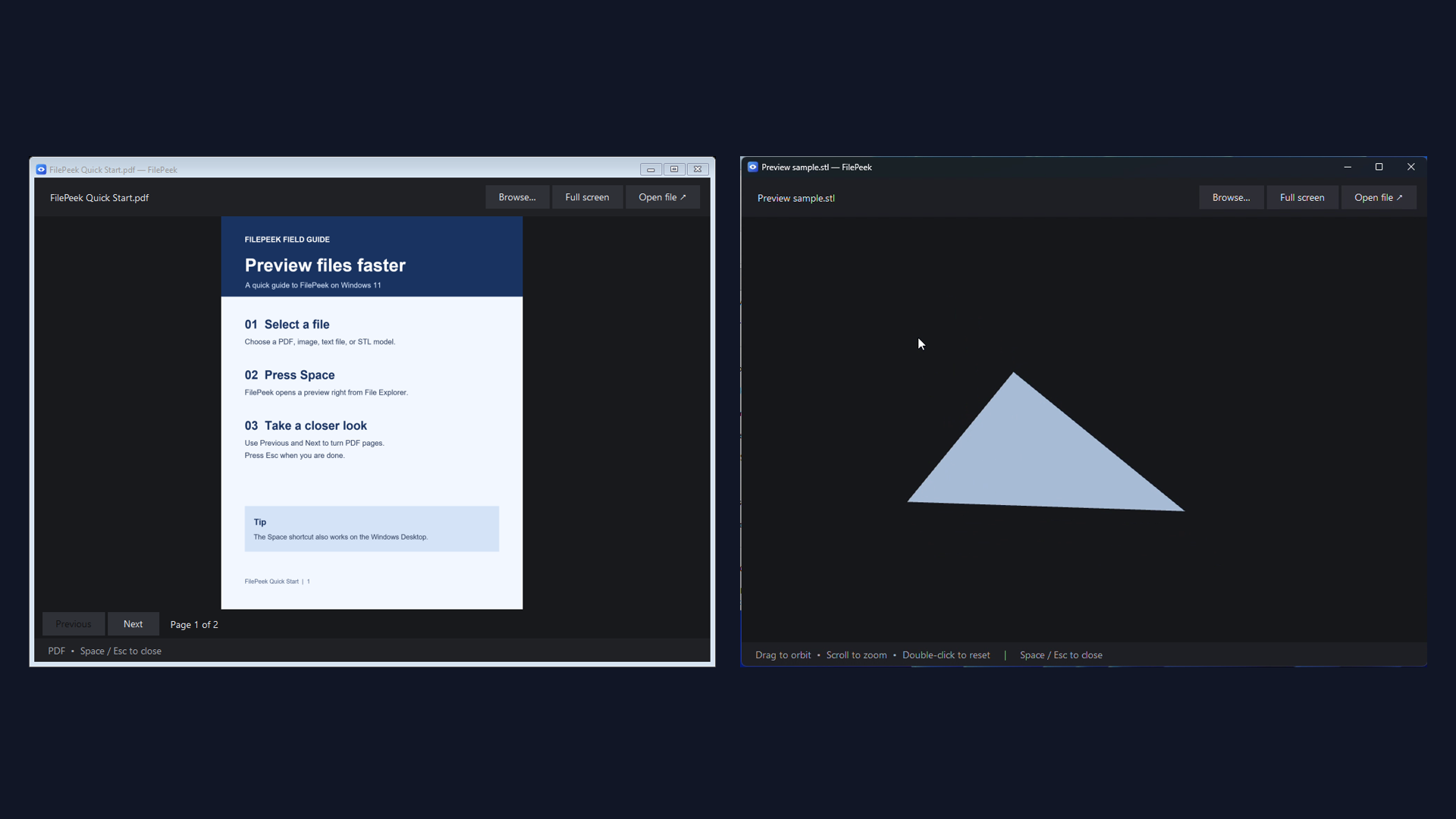
The format guide.
Clear support, clear limits. Peek3D is a preview engine, not a CAD editor.
| File type | Formats | Tier |
|---|---|---|
| Images | PNG JPG JPEG BMP GIF TIF TIFF ICO | Basic |
| PDF & text | PDF TXT | Basic |
| Basic 3D meshes | STL OBJ | Basic |
| 3D meshes | PLY GLB glTF | Pro add-on |
| Text and code | MD CSV JSON XML YAML YML LOG INI CS JS TS PY CSS | Pro add-on |
| Point clouds | PLY XYZ PTS | Pro add-on |
Small scope.
Useful detail.
Peek3D is FilePeek’s independent mesh and point-cloud preview engine. It reads supported geometry locally and displays it through Windows graphics.
Drag to orbit, right-drag to pan, scroll to zoom, and double-click to reset. Point counts tell you when you’re viewing a sample.
A preview, not an upload.
FilePeek does not send your previewed files to our servers. Its current release candidate has no developer-operated analytics or advertising SDK.
Microsoft Store licensing uses Microsoft’s services. Visiting this website or contacting support has separate data handling.
Read the privacy notice ↗Before you peek.
Can I edit or convert a model?
No. Peek3D is for viewing. Use Open file to launch the file’s usual application for editing or conversion.
Are all point-cloud points displayed?
Small clouds display in full. Larger clouds use a deterministic sample of up to 50,000 points, and the preview shows both the displayed and total point counts.
Where can I download FilePeek?
The Microsoft Store release is still being prepared and tested. A verified download link will appear here after publication. We are not accepting orders or payments on this website.
Your files. A quicker look.
Read the quick-start guide and check the current release status.